On this page
- What does boosting a post actually mean?
- How to boost a post on Facebook
- How to boost a post on Instagram
- How to boost a TikTok post with Spark Ads
- How to sponsor a LinkedIn post
- How much does it cost to boost a post?
- How much to spend, and how to cap it
- What our own boosts delivered
- What a boost looks like in uplads before it runs
If you put money on a post, do the likes stay on it? It depends on the network and on which button you press. Some boosts run on the post itself. Others quietly build a second post that starts at zero.
I am Markus, co-founder of uplads and replient.ai, and I run paid ads at our agency, Doppel N Marketing. This guide is how to boost a post on each network so the engagement stays where your followers see it, built from what we measured in the Meta, TikTok and LinkedIn APIs while building Post Boosts in uplads. Where we have not measured something, I say so.
What does boosting a post actually mean?
Boosting a post means turning a post you already published into an ad, so the paid reach lands on the same post your followers see.
There are two ways to get there, and they look identical in a preview. The first runs the ad on the post itself. The second takes the post's picture or video and builds a new ad from it, a so-called dark post that only the targeted audience sees and that starts with 0 likes. Only the first keeps the engagement in one place. That is the real answer to "boost a post or create an ad?": when you boost your post, it keeps its social proof; when you create an ad from the same video, it starts from zero. The menus do not always tell you which of the two you are getting, so the sections below go network by network.
How to boost a post on Facebook
On Facebook, pick the Page post itself: "Use existing post" in Ads Manager, or the Boost button on the Page. The ad then runs on that post, and every reaction, comment and share lands on it.
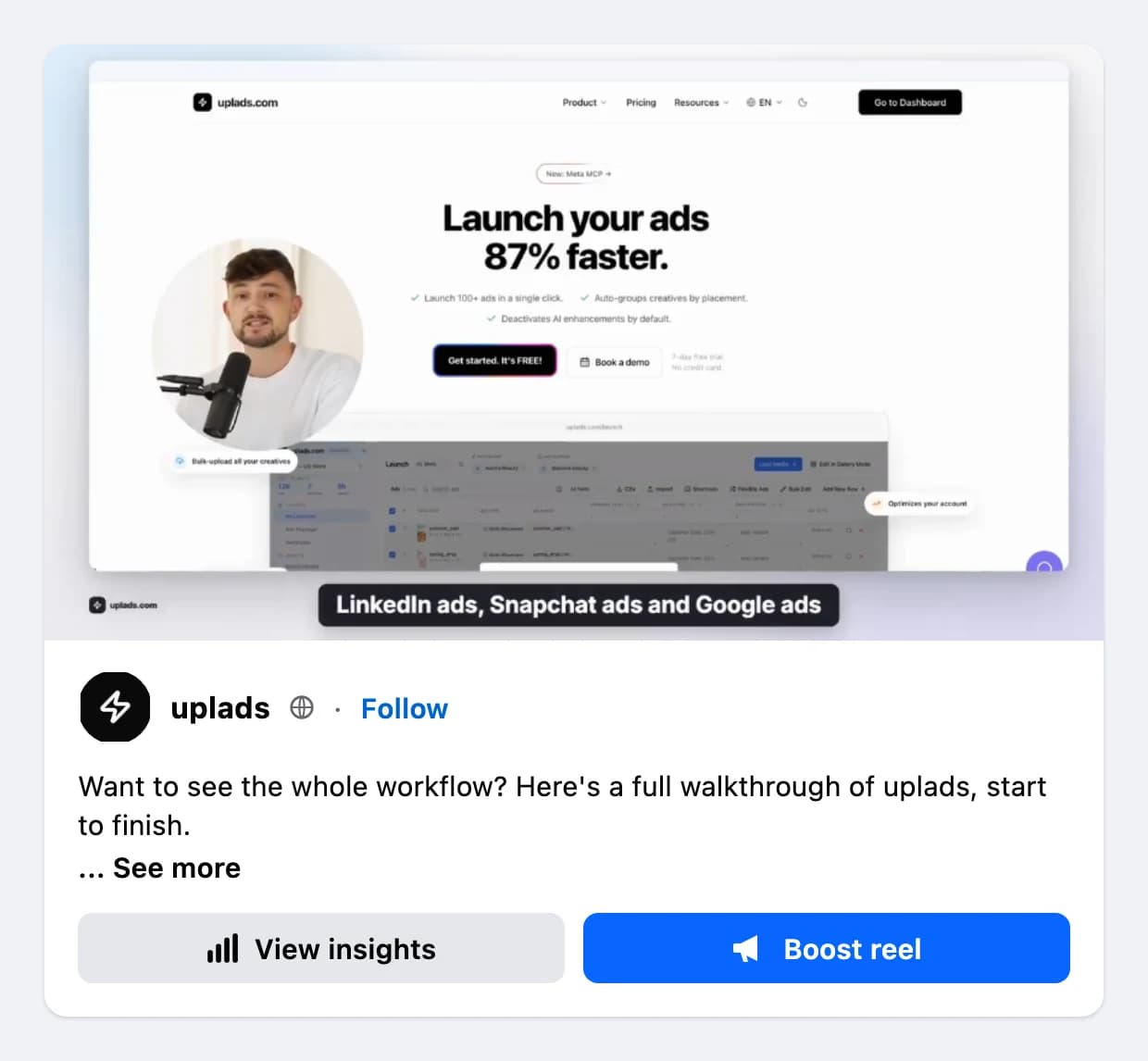
To boost a Facebook post from your Page:
- Open the post from your Facebook Page and click Boost post (on a reel the button reads Boost reel).
- Pick a goal. It decides what Meta optimizes for: engagement, messages, link clicks or leads.
- Choose the audience: the recommended audience, people who already like your Page, or a new audience based on location, age and interests.
- Set a daily budget or a custom budget and the duration. Budget times days is the most you will spend.
- Check the payment method on the ad account and press Boost. Meta reviews the ad before it runs.
If the post is about credit, jobs, housing, social issues, elections or politics, Meta asks you to declare a special ad category, and the targeting options shrink.
The Boost post button is the fastest way in. Ads Manager gives you the same post with more control over the audience and the goal, which matters more than it looks: see what our own boosts delivered below.
In the Marketing API this is a creative with object_story_id, which Meta's reference describes as the ID of a Facebook Page post to use in an ad. We checked it on 27 August 2026: the creative read back with an effective_object_story_id equal to the source post. The ad is the post, not a copy of it.
Two things caught us out on Facebook:
- The Instagram placement is not your Instagram post. The same Facebook boost read back with an Instagram media that Meta created when the ad was made. If your Instagram audience matters, boost the Instagram post as well, as its own boost.
- A website goal needs a link on the ad. An ad set with the website goal refused a bare post: Meta answered that non-website ads are not allowed in a website ad set (22 September 2026). With a call to action and a link, the same post went through.
One limit on our side: uplads cannot read like counts of Facebook posts, because that needs a Page permission we do not hold. The Post Boosts page shows likes and comments for Instagram posts only.
How to boost a post on Instagram
In Ads Manager, choose "Use existing post" and pick the post from your Instagram account. Check first that the Instagram account is linked to the ad account itself, not only to the Page. Of our own two ad accounts, one had an Instagram account linked at that level and the other had none, and that link decides which Instagram identity an ad can run under.
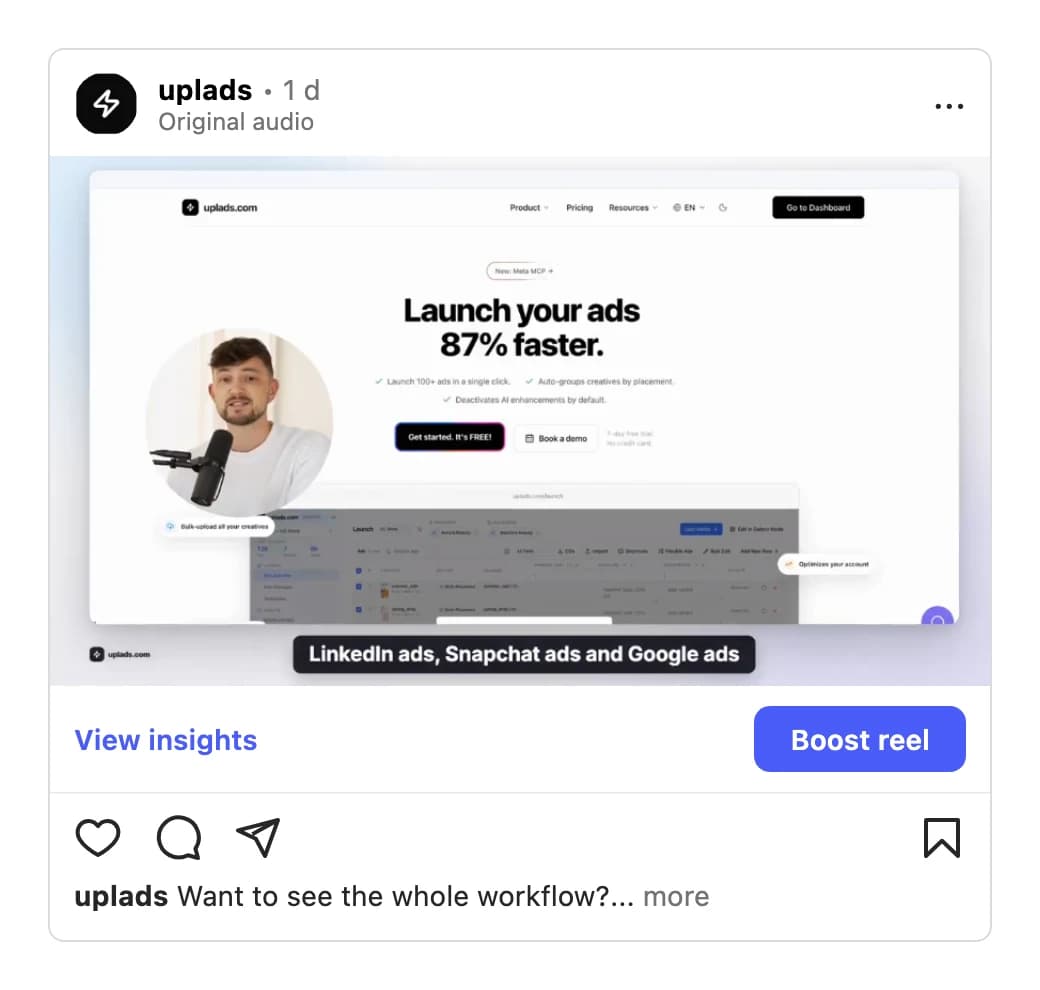
To boost an Instagram post in the app, open the post on a professional account, tap Boost post (or Boost reel), pick a goal, an audience, a budget and a duration, and confirm. For more control over placements, goals and audiences, boost the same post from Ads Manager instead.
Under the hood, the ad is built from the post's media id plus the Page or the Instagram account. On 27 August 2026 the media id alone was refused for a Reel ("upload it to Facebook first"); adding the Page or the Instagram account made the identical call go through. Nothing is downloaded or uploaded again.
What comes back is the interesting part. Every accepted variant read back with a media that Meta created at that moment: its own link, 0 likes through the API, and absent from the account's own feed. When we compared 1,200 ad creatives on one account against the 82 posts in its Instagram feed, not one creative rendered an organic post.
So on 8 October 2026 I tried it with my own account, a Reel with 11 likes and 1 comment and a photo with 11 likes, on a paused ad. The API again said 0 likes for the ad's media. Opened on instagram.com, though, the ad's Reel page showed 11 likes, 1 comment and the original's two-week-old comment, and Ads Manager listed the ad as an Instagram post liked 11 times. People who see the ad see the post's social proof.
What I cannot tell you yet is whether a like someone gives the ad also lands on the original's counter. We have not measured that, so I will not promise it. The Boost button inside the Instagram app is a separate path: the post reports itself as eligible to boost, but the API key that would mirror that button is closed to apps like uplads.
How to boost a TikTok post with Spark Ads
On TikTok, a boost is a Spark Ad: the ad runs on the original video. TikTok's Spark Ads help page says the views, comments, shares, likes and follows "gained from boosting the video" are credited to the organic post.
Who posted the video decides what you need:
- Your own TikTok account (connected to the advertiser or through Business Center) needs no authorization. Every post on it can be boosted.
- A creator's post needs the creator's Spark authorization, with the status authorized and the window still open. An expired or revoked authorization gives you an ad TikTok refuses, so check the end date before you plan the boost.
- A custom identity, the display name and avatar made in Ads Manager, has no posts at all, so there is nothing to spark.
The trap we hit: when you run a normal ad (an uploaded video, not a Spark Ad) with your own TikTok account as the identity, TikTok publishes an ad-only post on that account 7 to 45 minutes after the ad was created. The API lists those like any organic post. On one account we looked at, nearly all listed posts were ad-only. uplads now matches the list against the advertiser's own ads and leaves those posts out. If you boost by hand, check that the post is one you published, not one an earlier ad created.
From 1 January 2027 TikTok builds Sales, App Promotion and Lead Generation campaigns only as Smart+, so plan the campaign your Spark Ads go into with that in mind. More on that in our TikTok bulk launch guide.
How to sponsor a LinkedIn post
On LinkedIn, open Campaign Manager, create a Sponsored Content Ad Group in the format of your post and choose "Browse existing content". The Page post itself becomes the ad and keeps the reactions and comments it already collected, which is the same shape as a Facebook or TikTok boost. LinkedIn lists which Page posts can be boosted; posts with polls or job ads cannot.
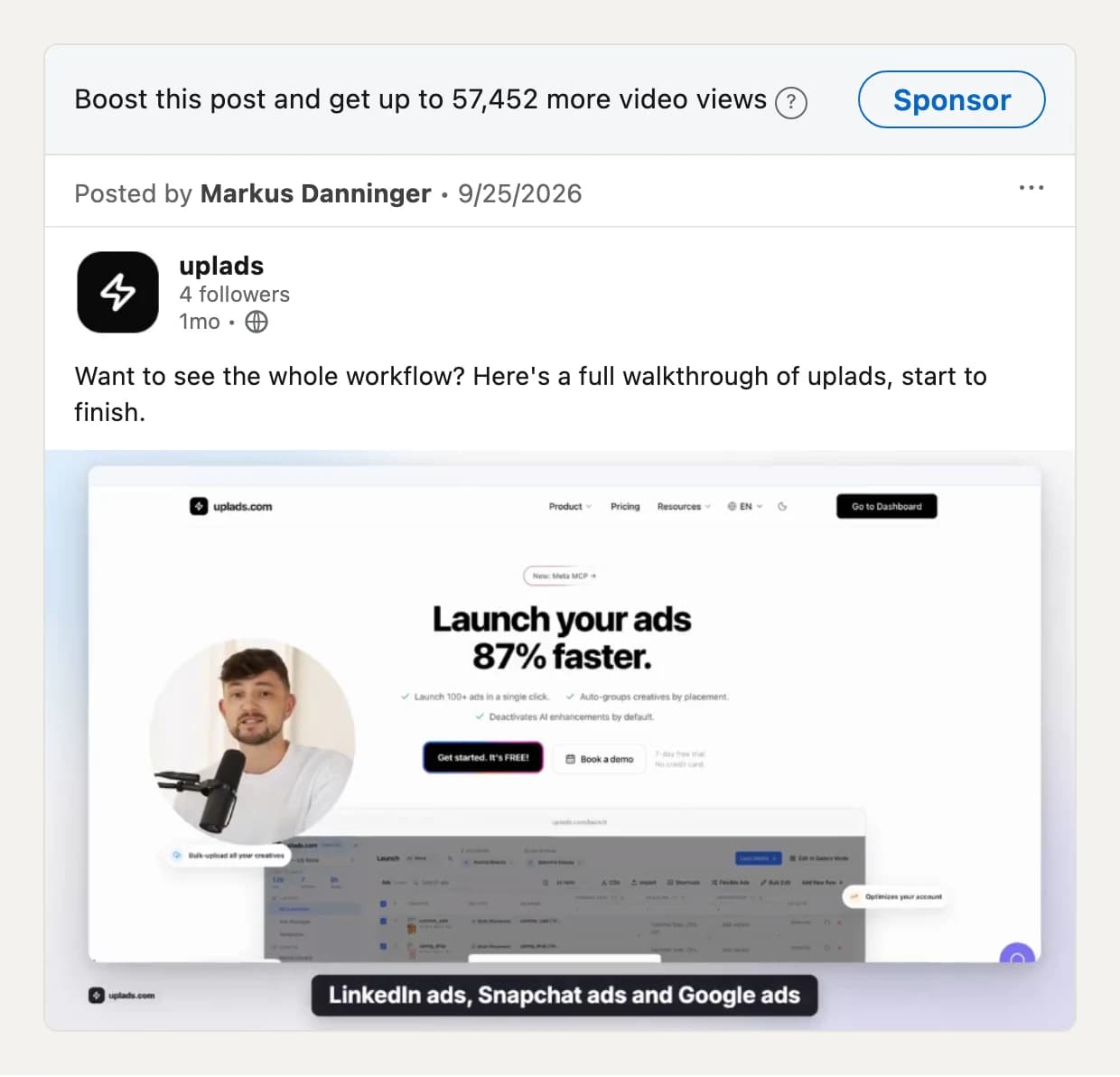
That estimate is for a Page with 4 followers, so the paid reach of a LinkedIn boost has little to do with your follower count.
Four rules from building it into uplads:
- The Ad Group's format is fixed. A single image Ad Group takes single image posts, a video Ad Group takes videos.
- A lead generation Ad Group needs a form on every ad, and a boosted post does not carry one. Pick an Ad Group with another goal.
- An Ad Group advertises for exactly one Page.
- Every new ad goes through LinkedIn's review, and LinkedIn refuses to pause an ad before that review approved it. Start it when you mean it.
The API also mixes organic posts and dark posts in one list, and the filter that used to separate them is deprecated, so uplads drops dark posts from the list itself. In uplads, LinkedIn post boosts run through the MCP connector into an Ad Group you already have; the Post Boosts page lists Facebook, Instagram and TikTok for now. More on LinkedIn in uplads on the LinkedIn Ads page.
How much does it cost to boost a post?
Boosting a post is not free, but there is no price list either: you pay the budget you set, and the network spends it in an auction. Pressing Boost costs nothing; the reach does. What changes is what that budget buys, and our own boosts on Facebook and Instagram show how wide the range is:
- Per 1,000 impressions: from 3.08 EUR (a German replient.ai boost with the engagement goal) to 16.68 EUR (the same account with a lead goal).
- Per reaction: from 0.06 EUR (uplads reels in the Netherlands and the Czech Republic) to 20.49 EUR (the lead goal again).
- Per boost: the maximums our team sets per post through uplads run from 25 to 180 EUR. Instagram boosts most often stop at 45 EUR, TikTok Spark Ads at 180 EUR.
So the honest answer to how much it costs to boost a post on Facebook or Instagram: as much as you decide, and the goal you pick decides whether that buys reach, reactions or clicks. Start small, with a fixed maximum, and compare the cost per reaction or per click, not the reach alone. The details are in what our own boosts delivered.
People who see a boosted post see it as an ad: Facebook and Instagram mark it as Sponsored, LinkedIn as Promoted, TikTok as Sponsored. Your followers still see the organic post in their feed as before.
How much to spend, and how to cap it
Decide the maximum before anything runs. A daily budget times a run time gives it: 5 EUR a day for 3 days stops at 15 EUR. Every network lets you set an end date, so set one.
A maximum is only as good as how often someone checks it. On 1 October 2026 a boost rule in uplads ran at 15 a day with a 45 maximum, and its spend was checked every 3 hours. The three boosts that reached the cap ended at 47.46, 48.21 and 49.05: in the evening, when a daily budget crosses its cap, Meta spent more than 1 an hour, and 3 hours between checks was too long.
Since then the maximum has its own clock in uplads: hourly while a boost is far from it, every 5 minutes close to it. Meta's spend figures trail by some minutes (under 10 in that measurement), so a boost can still end a little above its maximum.
How close is "a little"? Between 17 September and 16 November 2026, 100 boosts ran through uplads on 8 ad accounts we manage, 48 of them on Instagram and 52 on TikTok, 77 of them videos, for 6,768.53 EUR in total. 53 of them ran until they hit their maximum:
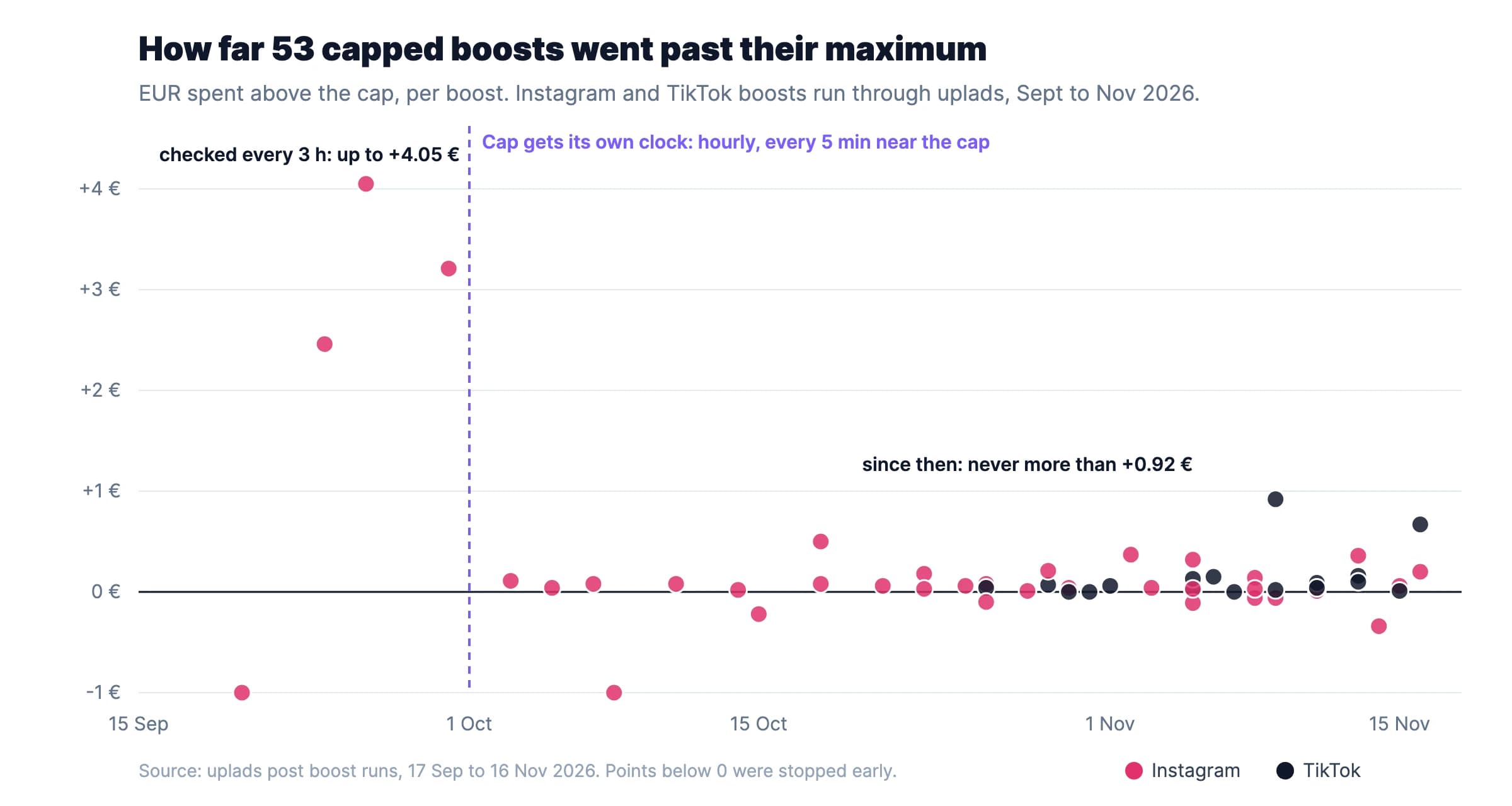
- Before 1 October (checked every 3 hours): up to 4.05 EUR over a 45 EUR cap, 9 % too much.
- Since 1 October (hourly, every 5 minutes near the cap): 48 boosts, the largest overshoot 0.92 EUR on a 180 EUR cap, 0.51 %.
- A boost needed 73 hours (median) from start to its cap, the fastest 48 hours, the slowest 6.5 days. A 3-day boost really runs 3 days; it does not burn its budget in an afternoon.
What our own boosts delivered
The numbers below are from our own ad accounts, read from the Meta Marketing API on 16 November 2026: replient.ai boosting its posts in German in 2025, and uplads boosting AI reels in the Netherlands and the Czech Republic in October and November 2026. All three used Meta's engagement or lead goal on existing posts.
| Boost | Spend | People reached | Reactions | Comments | Cost per reaction |
|---|---|---|---|---|---|
| replient.ai, goal Interactions, DE, May 2025 | 85.39 EUR | 26,777 | 15 | 1 | 5.69 EUR |
| replient.ai, goal Leads (free trial button), DE, Aug to Oct 2025 | 737.66 EUR | 20,689 | 36 | 3 | 20.49 EUR |
| uplads, AI reels, goal Interactions, NL + CZ, Oct to Nov 2026 | 95.58 EUR | 3,667 | 1,566 | 1 | 0.06 EUR |

What we took from it:
- "Post engagement" is mostly video plays. The 2025 replient.ai boost reported 20,592 post engagements. 20,567 of them were video plays of 3 seconds or more. Reactions: 15. If you report engagement to a client, split it, or the number means nothing.
- Cheap reach is not cheap engagement. That same boost reached people at 3.08 EUR per 1,000 impressions and still paid 5.69 EUR per reaction. The 2026 reels paid 7.66 EUR per 1,000 impressions, more than twice as much, and got a reaction for 0.06 EUR.
- The goal you pick is the result you get. With a lead goal, 737.66 EUR bought 36 reactions. Meta did what it was told: it looked for people who click the trial button, not people who like posts. If social proof on the post is the point, boost with the engagement goal.
- Frequency climbs fast on small audiences. The 2026 reels reached 3,667 people with 12,472 impressions, 3.4 times each. Retargeting boosts on replient.ai went to 5.1. Above 3, watch the comments for "I keep seeing this".
- Two markets, one price. Within the 2026 boost, the Czech Republic brought 1,076 reactions for 64.60 EUR and the Netherlands 490 for 30.98 EUR, both about 0.06 EUR per reaction. Between 2025 and 2026 the market, the creative and the year all changed at once, so we do not credit the gap to any one of them.
What a boost looks like in uplads before it runs
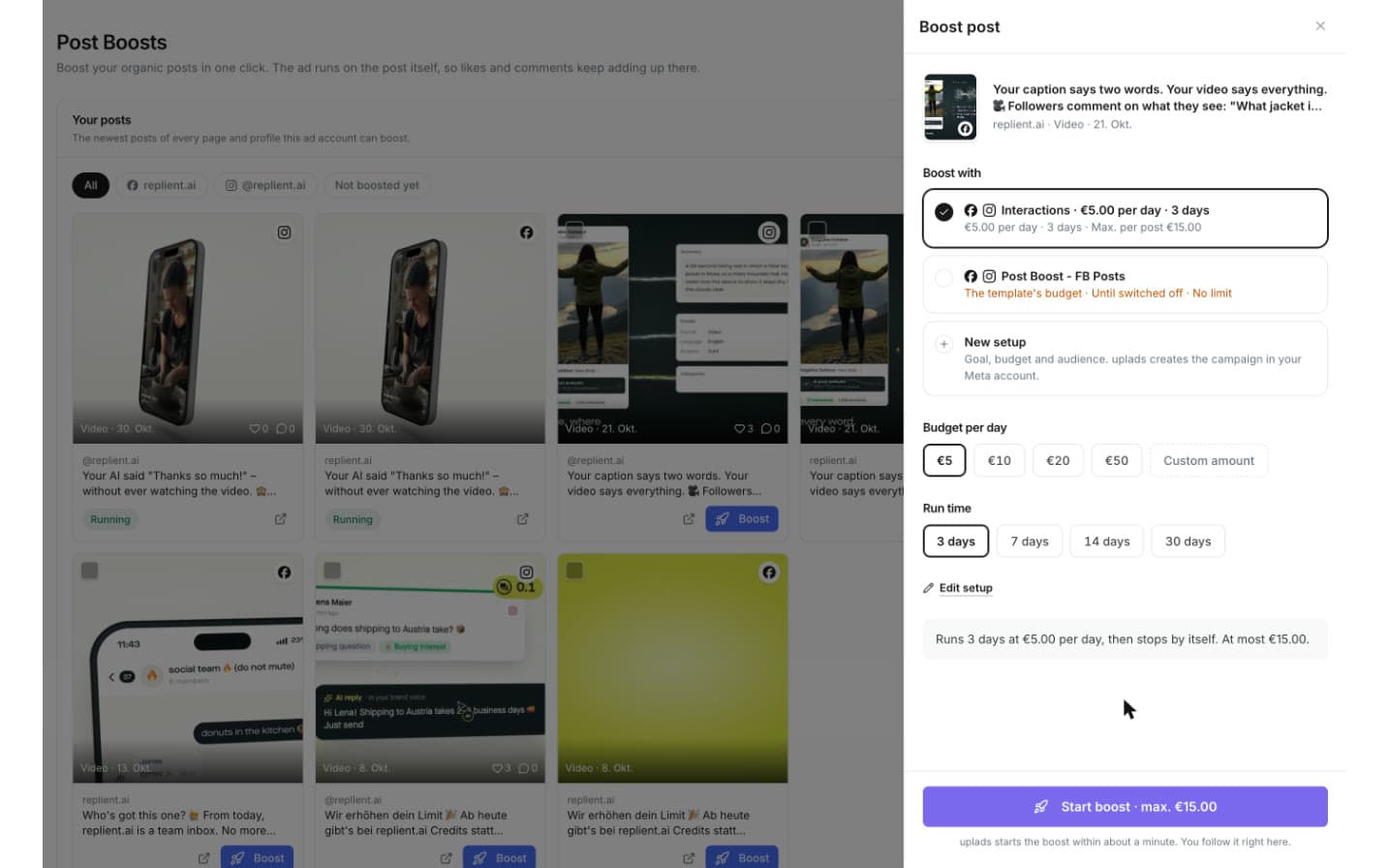
This is the Boost sheet in uplads on an uplads video post. You pick a saved setup (here: Interactions, 5 EUR a day for 3 days), and the sheet does the math before anything is spent: "Runs 3 days at €5.00 per day, then stops by itself. At most €15.00." The button repeats the maximum, so nobody starts a boost without seeing what it can cost.
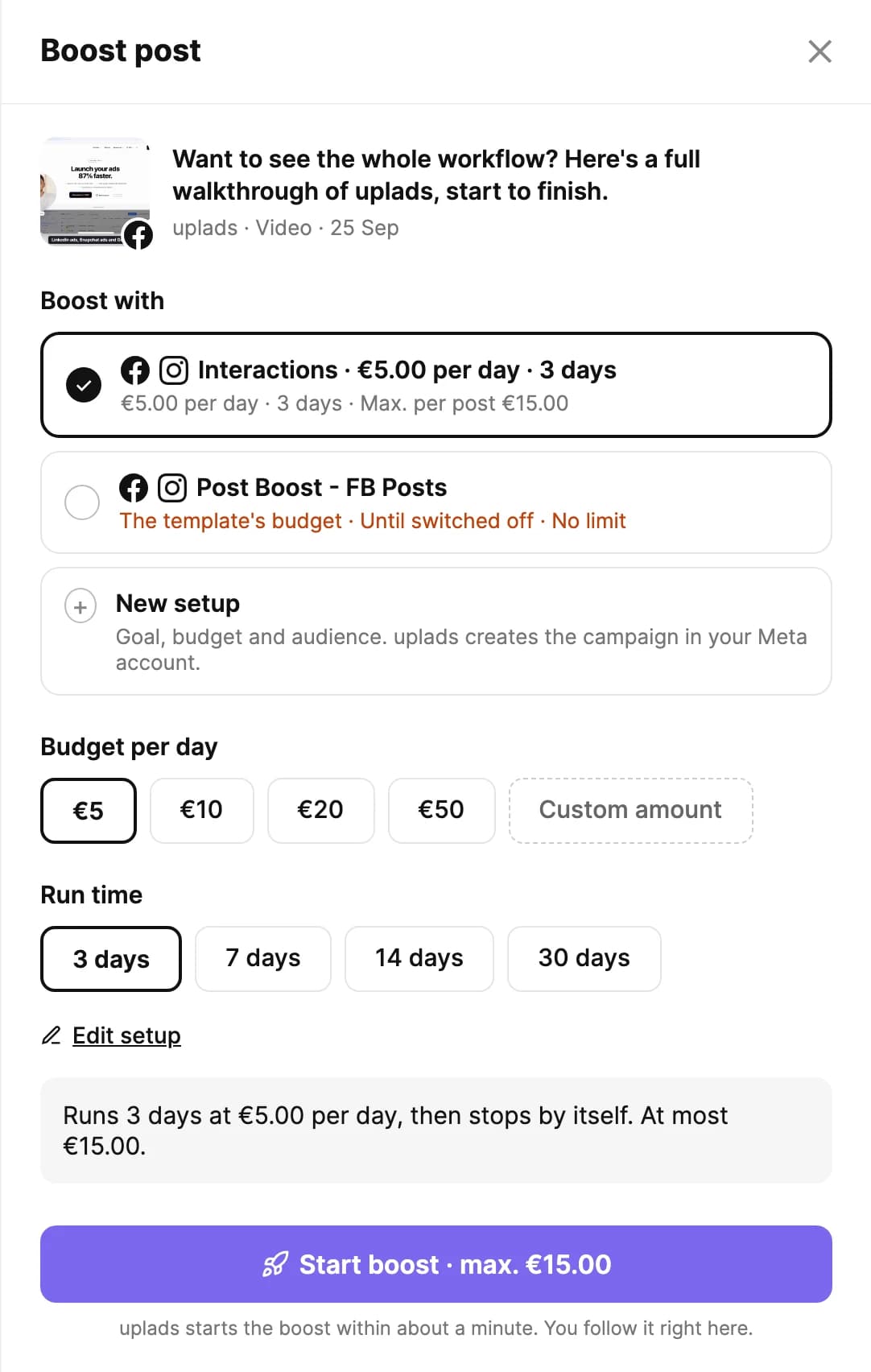
Three things are worth copying even if you boost by hand in Meta:
- Save your setups. Goal, audience, budget and run time live in a setup, so the second boost is one click and not a fresh form.
- Say the maximum out loud. Daily budget times days is the number your client or your boss cares about. Put it on the button, in the brief, in the approval.
- Let the boost end itself. A run time with an end date beats a reminder to switch it off. A setup "until switched off" without a limit is the one that surprises you on the invoice.
If you want to try the same flow, Post Boosts is in the Growth and Agency plans, and every plan starts with a 7-day free trial on the pricing page.