Facebook ads tool · Bulk upload
The Facebook ads toolfor bulk uploads.
Drop your images and videos, pick the ad sets and launch every Facebook ad in one click: named, grouped per placement, paused until you say go.
- 10 creatives × 10 ad sets = 100 ads, one click
- Feed, Reels and Stories sizes grouped into one ad
- Your naming template on every ad, automatically
7-day free trial · No credit card · Cancel anytime
The math
A weekly Facebook launch should take twelve minutes, not four hours.
Source: uplads internal benchmark, 30 creative variants × 3 ad sets, May 2026
Every Facebook ads tool promises to save time. Most of them save it after the launch: reporting, rules, dashboards. The hours that hurt are before it. A weekly creative test of five angles, three audiences and two formats is fifty ads, and Ads Manager builds them one at a time: duplicate, swap the creative, retype the name, fix the Reels version, repeat.
uplads is the Facebook ads tool for that part. You bring the creatives and the plan. It does the duplicating, the naming, the placement juggling and the ad-by-ad clicking in one launch instead of fifty.
Where the native workflow costs you the most time
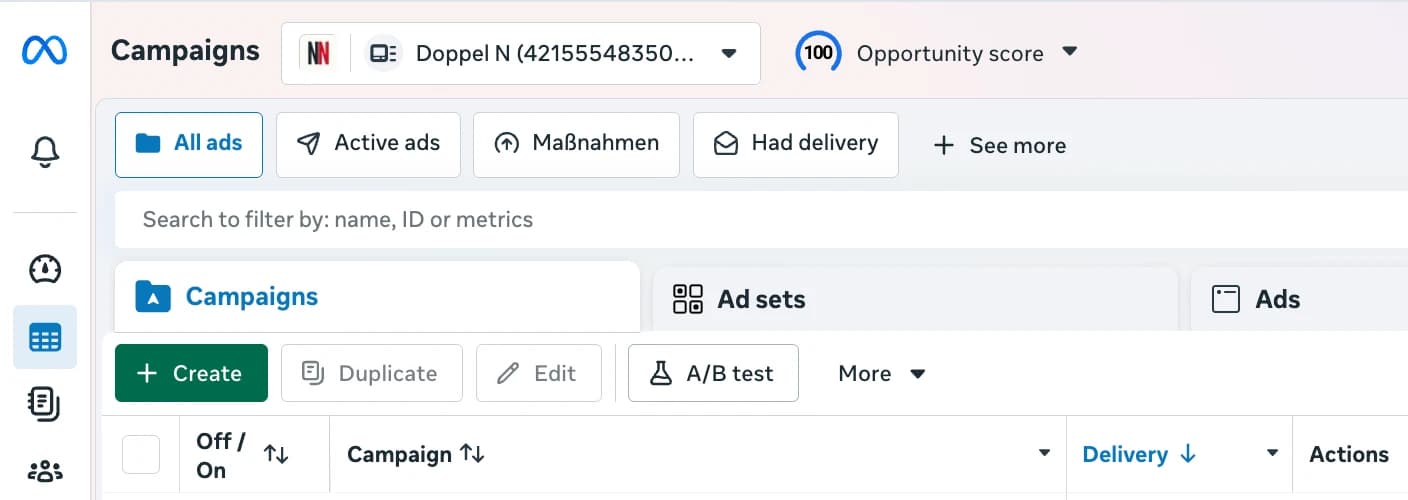
Three places, and none of them is the creative work itself. The first is duplication: Ads Manager duplicates an ad set, not a creative across ad sets, so a five-creative test across three audiences means fifteen manual builds rather than one instruction. The second is naming, which happens after the fact, in a rename dialog, once per ad, at exactly the moment nobody has patience left. The third is placement: the size variants you exported sit in a folder as separate files, and Ads Manager treats them as separate ads unless you customise the asset per placement by hand.
uplads inverts all three. Fanning a creative across ad sets is the default rather than a menu item, naming is applied at creation time from a template, and the size variants of one concept are recognised by filename and collapsed into a single ad with the right asset per placement.
What the bulk upload does
Everything between finished creative and live Facebook ad.
Bulk creative drop
Drag hundreds of Facebook images and videos into one launch, or import a Dropbox or Google Drive folder. Files upload directly to secure cloud storage.
One creative, every ad set
Pick the creatives and every ad set they belong in. uplads creates every combination in one click, no duplicating ad sets by hand.
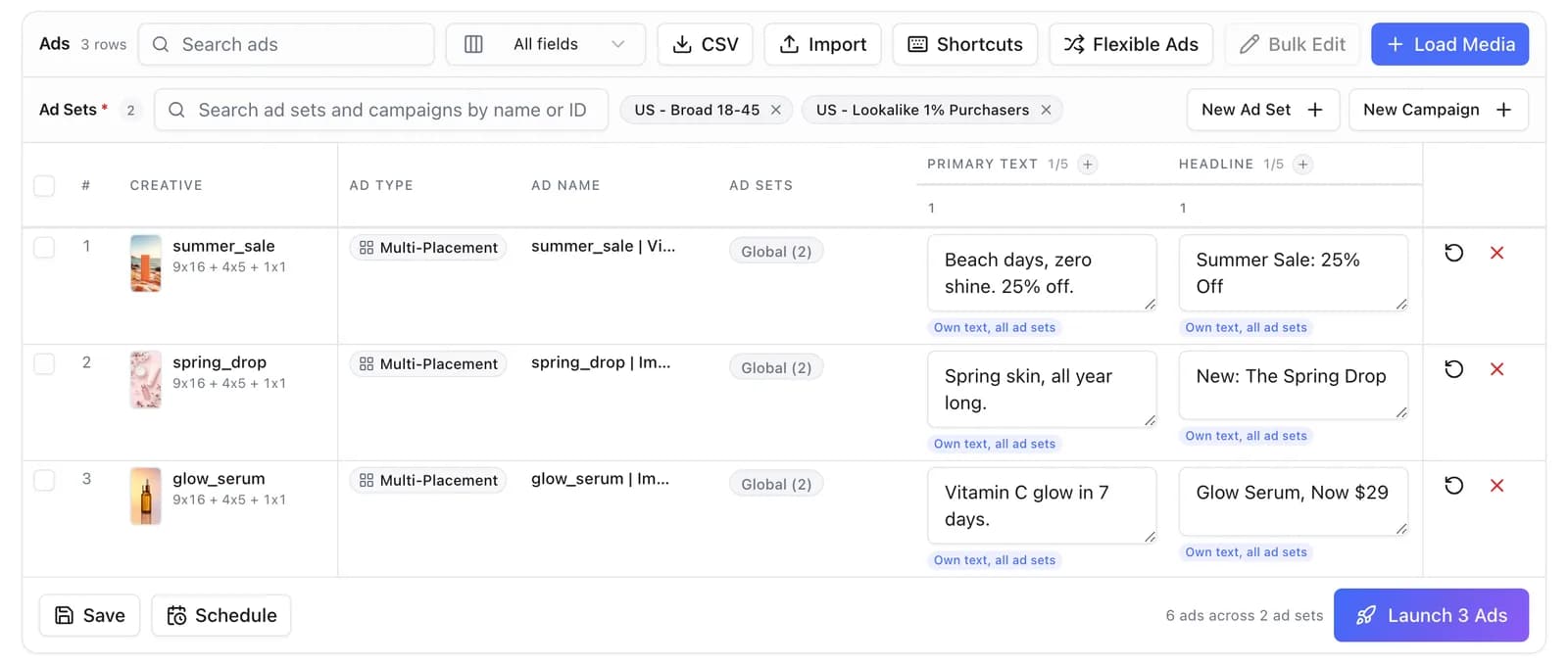
Table mode for the details
Different headline, link or ad set for one creative? Edit the batch like a spreadsheet, row by row, before you launch.
Naming applied at launch
A naming template built from tokens is stamped on every Facebook ad as it is created. Clean reporting from day one.
AI copy in your voice
Draft primary texts, headlines and descriptions for the whole batch within Facebook's limits. Keep, edit or regenerate each line.
Launch paused, review first
Every ad is built paused if you want it. Check the batch in Ads Manager or uplads, then switch it on, or schedule the go-live.
Inside uplads
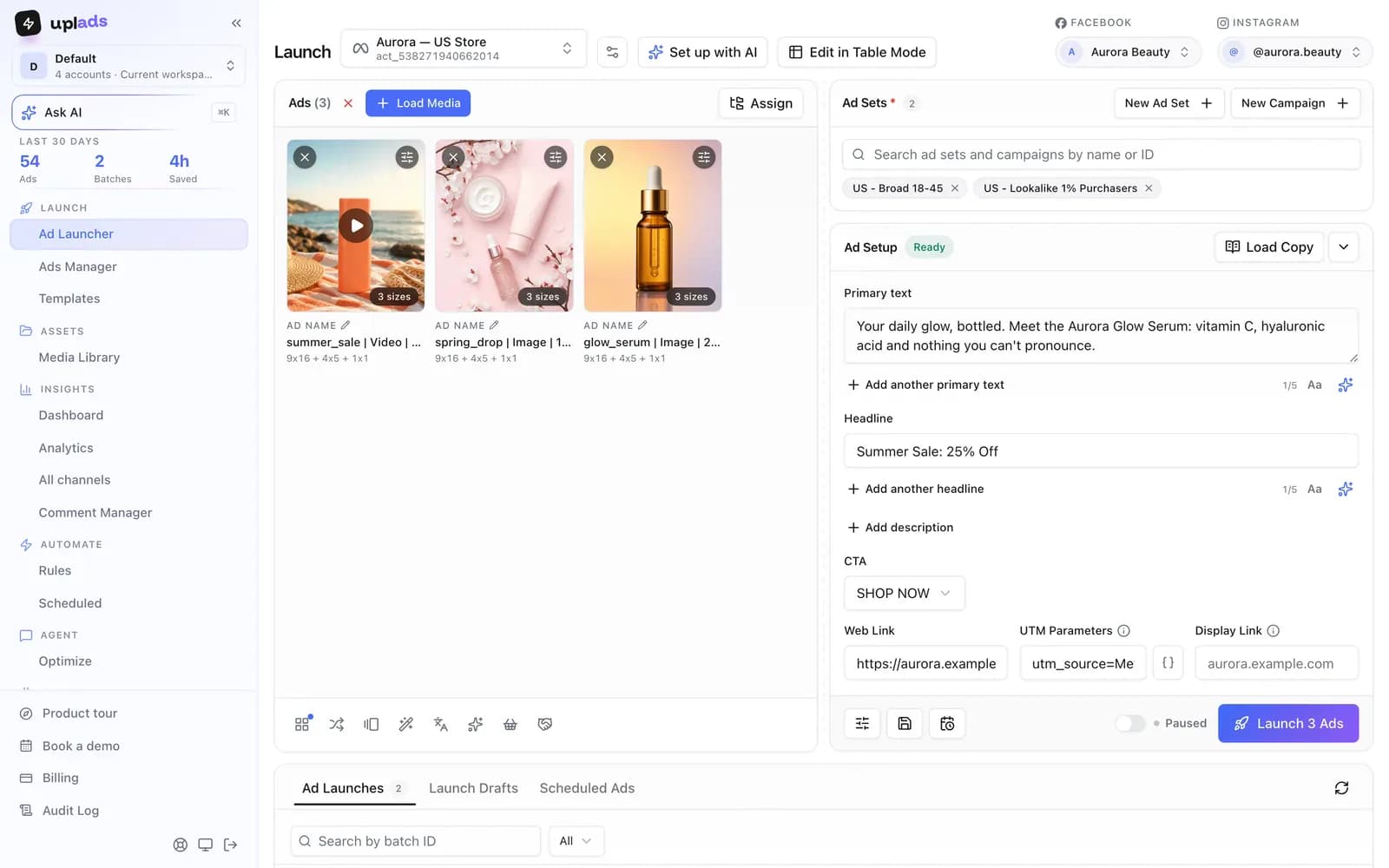
The whole Meta launch on one screen.
Creatives on the left, ad sets and ad setup on the right. What you see is what gets built: every ad, every name, every placement size, before anything goes live.
- Load media, pick ad sets, write copy, launch
- New campaign or ad set without leaving the screen
- Launch paused and review every ad before it spends
7-day free trial · No credit card
The flow
From a folder of creatives to live Facebook ads.
- 01
Connect Facebook
Sign in through Meta once. Every ad account you manage becomes selectable, and access tokens are encrypted at rest.
- 02
Load media
Drag in your creatives or import a cloud folder. Duplicates are recognised, so a creative you already tested re-launches in seconds.
- 03
Pick ad sets and write copy
Choose existing ad sets or create a new campaign. Write the copy once, load a template or let the AI draft it.
- 04
Launch
One click builds every ad in the background. Each ad shows its own result, and one rejected creative never stops the rest.
How it compares to the native Facebook bulk import
The realistic alternatives are Ads Manager itself, Meta's bulk import spreadsheet and the generalist ad platforms that treat launching as a side feature next to rules and analytics. The trade-off they share: the mechanical launch work is either fully manual or buried under a heavier product.
vs. the alternatives
What a bulk upload tool does that the native import does not.
Scroll →
Upload your next Facebook test in minutes
Connect Facebook and your ad sets show up in the launcher in about a minute. Launch paused, nothing spends until you switch it on. 7 days free, no credit card.
One Facebook ad account per launch, every ad set inside it
uplads is built for teams that manage several Facebook ad accounts. Connect as many as your plan allows (Starter two, Growth five, Agency 15) and switch between them in one click. Each launch goes into one ad account and fans your creatives across every ad set you pick inside it, so a client's ads never land in another client's account. The workflow is the same in every account: same media library, same naming template, same review before launch.
More than a launcher
Facebook and Instagram run on the same Meta system, so a Facebook launch covers Instagram placements too. The Meta ads launcher page covers the rest of what happens on Meta in uplads: carousel, flexible, catalog, partnership and lead ads, the Ads Manager with bulk edits, automated rules that pause losers and scale winners, and the AI Optimizer that audits the account and explains every finding.
Your files stay in your creative library for reuse, so next week's test starts from the assets you already uploaded. Naming conventions keep the account readable, and the bulk upload Facebook ads guide walks through the method step by step. Plans and account limits are on the pricing page.
Stop rebuilding the same adfifty times in Ads Manager.
One upload. 100+ Facebook ads in one click. 7 days on the full Growth plan, no credit card.
No credit card · Cancel anytime