
For most of the last two years, "AI in advertising" meant one of two things: a black-box optimizer inside the ad platform that you could not inspect, or a chat window that wrote you copy which you then pasted somewhere by hand. Both are useful. Neither touches the actual bottleneck, which is that turning an approved brief into live, correctly built ads is still hours of clicking.
MCP is what changes that, and it is worth understanding properly before you connect anything to an ad account.
What MCP actually is
MCP stands for Model Context Protocol. It is an open standard that lets a piece of software expose a set of actions - "import these files", "create a campaign", "read the performance of this ad set" - in a form an AI assistant can discover and use. Anthropic published it in November 2024, and Claude, ChatGPT, VS Code and Cursor are among the clients that support it today.
Two things follow from it being a protocol rather than a product:
One server works with every client. A tool builds its MCP server once, and Claude, ChatGPT, Cursor, Claude Code and anything else that speaks the standard can all connect to it. Nobody writes a Claude integration and then a ChatGPT integration.
The tool stays in charge. MCP does not hand the assistant your Meta login. It hands the assistant a list of things the tool already knows how to do, under whatever rules that tool enforces. The platforms' own interfaces, such as Meta's Marketing API, still do the work underneath. If your permissions do not let you create a campaign, the assistant connected as you cannot create one either.
That second point is the one most people miss, and it is the reason this is not the reckless idea it first sounds like.
What it looks like for a media buyer
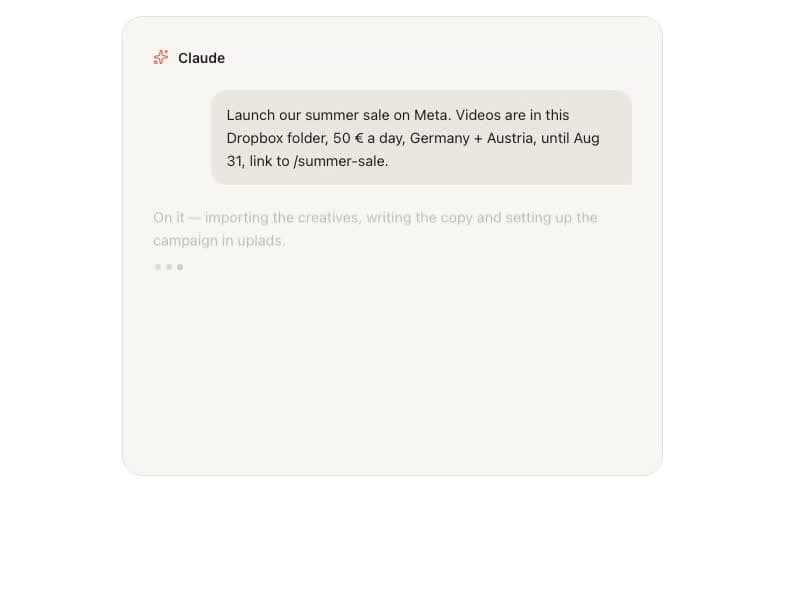
The concrete version. You have a folder of approved creatives, a budget, a date range and a landing page. Today that becomes a series of clicks. With a connector, it becomes a sentence:
Launch the summer sale on Meta. Videos are in this Dropbox folder, 50 € a day, Germany and Austria, until 31 August, linking to /summer-sale.
And the assistant does the parts that are mechanical: pulls in every file from the folder link, writes primary texts and headlines, creates the campaign and ad sets with the right budget, runtime and pixel event, looks up the real targeting ids rather than guessing at them, and stages the whole thing for review.
What it hands back is not live ads. It is a filled-in launch screen with your name on the Launch button.
The five questions to ask any connector
Vendors are adding MCP servers quickly, and the label alone tells you nothing about what you are granting. These five do.
Five questions before you connect anything to an ad account
- 1
Does it authenticate as me?
The assistant should sign in with your account and inherit your existing permissions, per workspace. If it uses a shared key that bypasses roles, a view-only teammate suddenly has publish rights through a chat window.
- 2
Can it spend money, and is that off by default?
Creating structure is cheap and reversible. Publishing ads is neither. Anything that can spend should be a capability you deliberately switch on, not a default you discover afterwards.
- 3
Is there a ceiling I control?
A budget cap the assistant refuses to cross turns "it can launch" from a leap of faith into a bounded decision. Without one, autonomy is unbounded by definition.
- 4
Does everything land in an audit log?
Every import, every campaign, every draft, attributable and timestamped. If you cannot reconstruct what the assistant did last Thursday, you cannot let it near a client account.
- 5
Can I revoke it in one click?
From inside the tool, not only from the AI client's settings. Revocation should be immediate and total.
A connector that answers all five well is, honestly, safer than handing account access to a new hire. It cannot exceed what you granted, it never gets tired at 6pm, and it leaves a more complete record than any human does.
What it should not be able to do
Just as important as the capability list is the refusal list. In a well-built connector:
- It cannot touch what it did not make. Cleanup tools should refuse to remove campaigns and ad sets a human created. Those are yours, and you remove them where you can see what you are doing.
- It cannot exceed your role. Every write runs the same permission and plan checks as a click in the interface. There is no side door.
- It cannot reach other workspaces. Access is scoped to the account that authorized it.
- It cannot quietly retry into a wall. When it hits a limit, the right behaviour is to stop and tell you, not to hammer the endpoint until something gives.
Why ad tools are adding it now, and what it changes
The honest reason is that MCP moved the integration cost close to zero. Before it, "let an AI use our product" meant building and maintaining a separate integration per assistant, for a use case nobody had proven. Now it is one server, and the clients arrive on their own.
The more interesting consequence is where the interface goes. Ad tooling has spent a decade making screens denser: more columns, more bulk actions, more shortcuts around the same underlying grid. A connector sidesteps the screen for the part of the job that never needed one. Nobody enjoys the click-path from brief to built campaign - it is pure translation work, and translation is exactly what a language model is for.
What it does not replace is judgment: which angle to test, what a fatigued creative looks like, when to kill a winner that stopped winning. That is why the good version of this ends at a review screen rather than at a live ad.
See what an ads MCP connector actually does
uplads runs an MCP server for Meta, TikTok, Google Ads and Snapchat: it imports creatives from a Dropbox or Drive link, writes the ad copy, builds campaigns and ad sets paused, and stages the launch for your review. It also manages what already runs, sets up automated rules on Meta and TikTok and runs Optimize audits on Meta, and anything that raises spend waits for your yes. Currently in beta and included in every plan.
Where this stands today
Be realistic about the maturity. MCP connectors in advertising are early: coverage is usually one network deep, clients cache tool lists and need reconnecting when a server ships new capabilities, and the assistants themselves are much better at mechanical setup than at strategy. Sensible teams are using them for exactly the part they are good at - the translation from brief to built - and keeping the decisions where they were.
The uplads connector follows that shape. On Meta, TikTok, Google Ads and Snapchat it stages new ads as a launch draft that a person launches in the uplads Ad Launcher, and it manages campaigns that already run, with the deepest edits on Meta. It creates everything paused, it hands back a review link by default, pausing and lowering a budget need no permission, and switching on, raising a budget or launching on its own need a per-workspace switch with a daily ceiling plus your yes in the chat. It is in beta and included in every plan, which is the honest state of every connector in this category right now.
If you want the product-level detail - which clients connect how, what the tools actually are, and what the assistant refuses to do - that is on the MCP page. If you want the workflow version, launching a Meta campaign from a chat message walks one brief end to end.