
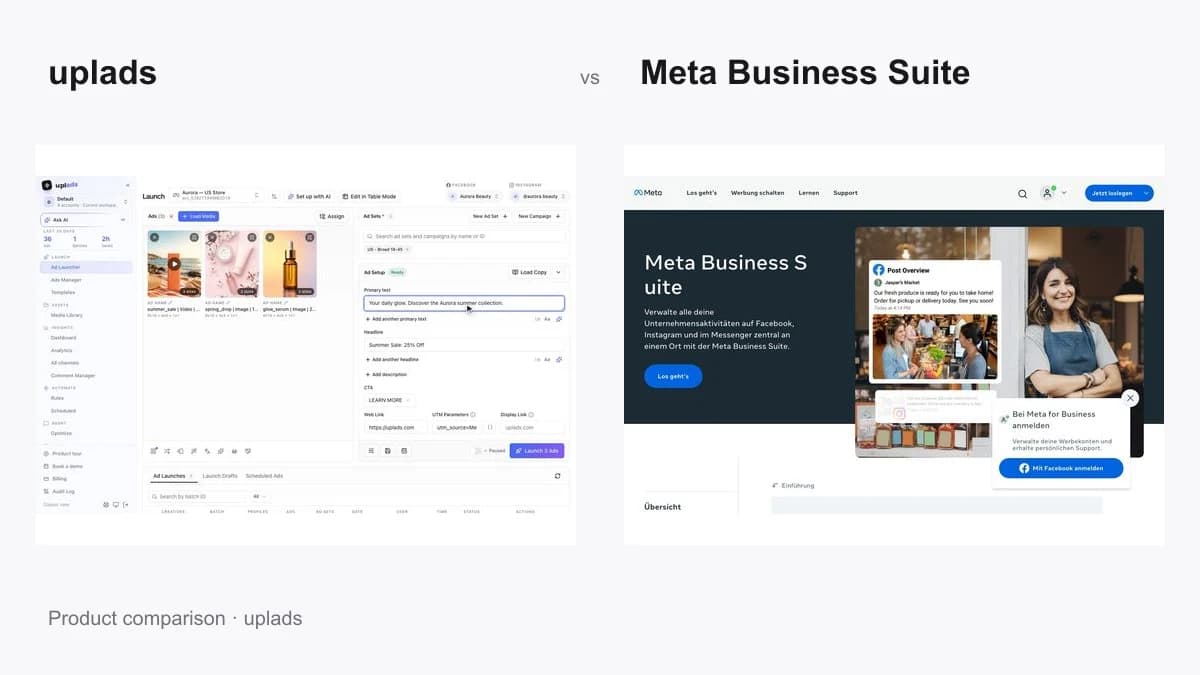
Every comparison on this site is uplads against another paid tool. This one is different, because the competitor is free, it is made by the platform itself, and almost everyone reading this already has it open in another tab. So the useful question is not "which is better" - it is at what point does free stop being cheap.
What each one actually is
Meta Business Suite is Meta's central hub for managing a business presence on Facebook, Instagram and Messenger. Per Meta's own product page, it brings together the inbox across apps, creating and scheduling posts and Stories, insights on how that content performed, and creating ads. It is free, works on desktop and mobile, and for a small business running one page and boosting the occasional post, it is the correct tool and this page can end here.
Meta Ads Manager is the layer underneath it, and the distinction matters for this comparison. Ads Manager is the advertising engine: the campaign, ad set and ad hierarchy, detailed breakdowns, automated rules, and the bulk spreadsheet import. Business Suite links into Ads Manager rather than duplicating it, so "creating ads in Business Suite" in practice means either boosting a post or being handed off into Ads Manager.
uplads is a bulk ad launch platform that connects to the same Meta ad account through Meta's official Marketing API. The loop is: drag in 50 to 200 creatives, pick the ad sets across your accounts, pick a naming template, launch. Files are grouped into multi-placement ads by filename, names are applied at launch rather than cleaned up afterwards, and a background worker creates the ads with per-ad failure isolation, so one policy rejection does not take the batch down.
Internally we measure that at 87% faster than building the same batch by hand. Meta, TikTok, Google Ads and Snapchat launch from the same upload. After the launch it keeps going: an Ads Manager per network with bulk changes, find-and-replace text editing on Meta, automated rules on Meta and TikTok, an AI Optimizer that proposes changes for approval, and creative analytics. From 69€/month, 7-day trial on Growth limits, no card.
The one thing Business Suite genuinely cannot do
Bulk ad creation is not in Business Suite. It never was. Meta's own bulk route lives in Ads Manager under Import & Export: you export a spreadsheet template, fill in rows for campaigns, ad sets and ads, and import it back.
That route is free and it works. It is also the reason this category of tool exists at all:
- It is a spreadsheet, so a single malformed row can fail the import and you debug a file instead of shipping ads.
- There is no placement grouping. A 4:5 Feed cut and a 9:16 Story cut of the same concept are two rows, not one ad, unless you build the customization by hand.
- There is no naming template applied at launch, so naming discipline is a convention your team remembers, which means reporting is already messy by day one.
- There is no per-ad failure isolation of the kind a purpose-built launcher gives you.
Most teams we talk to never switch the import on. They duplicate an ad set, re-upload the creatives, rename each ad, and pair the aspect ratios one at a time. That is the four-hour Thursday this whole product category was built to delete.
Feature matrix
| Meta Business Suite | Meta Ads Manager | uplads | |
|---|---|---|---|
| Price | Free | Free | From 69€/month |
| Made by | Meta | Meta | Independent, official Meta API |
| Inbox, comments, post scheduling | |||
| Page and content insights | Partly | ||
| Single ad creation and boosting | Not the point | ||
| Bulk ad creation | Spreadsheet import | Drag-and-drop, 200+ files | |
| Multi-placement grouping from filenames | |||
| Naming convention applied at launch | |||
| Per-ad failure isolation | n/a | ||
| Fan one batch across many ad sets | Manual | ||
| Advantage+ enhancements off by default | Yes, account-wide | ||
| Bulk edit text or swap media on live ads | Limited | ||
| Automated rules | Yes, Meta and TikTok, on Growth and up | ||
| AI ad copy in a saved brand voice | Partly | ||
| AI assistant connector (Claude, ChatGPT) | Yes, Meta's ads MCP server (open beta) | Yes, MCP (Beta): launch drafts, daily budget ceiling | |
| TikTok, Google Ads, Snapchat from the same upload |
The matrix is factual. The verdict at the bottom is opinionated.
Advantage+ enhancements: the quiet tax
Meta re-enables creative enhancements - image animation, music, text translation, comment ranking - and it does so on advertisers who deliberately turned them off. In Business Suite there is no account-level place to hold that line, so you are unchecking boxes ad by ad and re-checking your own work later.
uplads deactivates every Advantage+ creative enhancement by default on every ad it creates, for images and videos, and that setting lives on the ad account rather than on the launch. This was the single most-requested thing from the buyers we built it with, which tells you how much of a tax it had become.
AI connectors: Meta's own, and what uplads adds
Meta now has an assistant connector of its own. On 29 April 2026 it released the Meta Ads AI Connectors in open beta: an ads MCP server and a command-line tool through which Claude, ChatGPT and other MCP clients can pull reports, create and edit campaigns, ad sets and ads, manage catalogs and check signal health. A July 2026 update added connections through your own developer app and "ads MCP server rules", which let a business portfolio owner limit what agents may change, from budgets to catalogs. It lives on the ad account, not inside Business Suite, and for an advertiser who wants to talk to the account directly it is a real option.
uplads runs an MCP server too, and it works one level up, on a launch workflow rather than on raw campaign objects. Connect it once in Claude, ChatGPT, Cursor or Claude Code, and you can hand over a brief the way you would hand it to a colleague:
Launch our summer sale on Meta. The videos are in this Dropbox folder, 50 € a day, Germany and Austria, until 31 August, linking to /summer-sale.
Your assistant then imports the creatives from the link into the media library, reads the saved brand context, writes the primary texts and headlines, creates the campaign and ad sets with budget, runtime, pixel event and real geo and interest targeting, and stages the launch as a draft in the uplads Ad Launcher. Everything is created paused and holds no ads, so nothing can spend while you are reading.
You open the review link, change what you want, press Launch, and the launch itself gets the multi-placement grouping, naming template and enhancement defaults described above. If you want the fully remote version, a workspace can allow autonomous launching, with a daily budget ceiling that counts everything assistants switch on or raise that day.
The other difference is reach. Meta's server covers Meta. The uplads connector stages new ads and manages running campaigns on Meta, TikTok, Google Ads and Snapchat from the same chat, and every action lands in the workspace audit log.
MCP is in beta, included in every uplads plan at no extra cost, and open to every workspace. On Meta it builds campaigns and stages new ads for your review, changes what already runs, sets up rules and runs Optimize audits. On TikTok, Google Ads and Snapchat it stages new ads the same way and manages campaigns that already run.
Read how the MCP connector works.
Keep Business Suite. Hand the batch to uplads.
Every uplads plan starts with a 7-day free trial on Growth limits, no credit card up front - enough to push one real weekly batch through it and compare the clock against your current Ads Manager process.
Pros and cons
Meta Business Suite
Pros
- Free, with no plan to compare and no trial to remember
- Made by Meta, so it is never out of step with the platform
- The best place for the Facebook and Instagram inbox, comments and scheduled posts
- Page and content insights sitting next to the content itself
- Perfectly good for boosting a post that is already performing
Cons
- No bulk ad creation at all; Meta's bulk route is a spreadsheet import in Ads Manager
- No multi-placement grouping, so every crop is a separate manual step
- No naming convention applied at launch, so reporting drifts from day one
- Advantage+ enhancements cannot be held off account-wide
- No MCP connector inside Business Suite; Meta's ads MCP server (open beta) works on the ad account instead
uplads
Pros
- 50 to 200 creatives into named, grouped ads across many ad sets in one pass
- Multi-placement auto-grouping straight from filenames, no manual customization
- Naming template applied at launch as part of the call, not cleaned up afterwards
- All Advantage+ creative enhancements deactivated by default, account-wide
- Post-launch surface included: bulk text editing on live ads, automated rules, an AI Optimizer that proposes changes for approval
- MCP connector (Beta) so Claude or ChatGPT can do the setup on four networks, with launch drafts a person reviews and a daily budget ceiling
- TikTok, Google Ads and Snapchat from the same upload, flat EUR pricing, 7-day trial without a card
Cons
- Costs money, where Meta's own tools do not
- Not a social inbox: comments, messages and post scheduling stay in Business Suite
- The AI Optimizer is Meta only and rules run on Meta and TikTok; Google and Snapchat get launching plus their own Ads Manager
- Overkill below roughly ten new ads a week
Which one your week actually needs
Stay on Business Suite if you run one page, your ads are mostly boosted posts, and the inbox matters more than the ad build. Nothing on this page beats free for that shape of work.
Use Ads Manager's spreadsheet import if you launch maybe ten to twenty new ads a month, you are comfortable in a spreadsheet, and the debugging cycle when a row breaks is cheaper than a subscription. This is the honest zero-cost middle ground, and most people have never turned it on.
Add uplads when the weekly batch is real: multiple concepts, multiple crops, multiple ad sets, a naming convention someone has to enforce, and a Thursday that disappears into duplicate-and-rename. That is the point at which free stops being cheap, because the cost moved from the invoice to the calendar.
And you keep Business Suite either way. The two are not alternatives in the strict sense: uplads launches into the same account you keep managing in Meta's own tools.
Keep Business Suite. Add uplads the week the batch gets real - and skip it entirely while it isn't.
These are not rivals. Business Suite owns the inbox and the page; uplads owns turning a folder of creatives into named, grouped, launched ads in the same account.
Meta Business Suite is the right free tool for a page, an inbox and the occasional boost, and nothing here should try to replace it. What it has never had is bulk ad production: no batch creation, no placement grouping, no naming applied at launch, and Meta's own answer to that is a spreadsheet import one level down in Ads Manager. So the decision is a volume question, not a feature question. Below ten new ads a week, stay free and feel good about it. Above fifty, the cost has quietly moved off the invoice and onto your Thursday, and uplads buys that back every single week. One more thing tips it in 2026: Meta's own MCP server lets an assistant edit the account, while uplads hands back a staged launch draft with grouping, naming and a spending ceiling, on Meta and three more networks.