
If you search "best ad aspect ratios 2026" the results disagree with each other, and the disagreement is the story. The freshest, most authoritative pages on the page say vertical and portrait now beat square. A chunk of pages still ranking, some only weeks old, still tell you 1×1 is your safest bet. That split is exactly the confusion this piece exists to settle, with a recommendation that is current, ad-specific rather than generic social-post advice, and honest about where the real cost sits.
I build the launch tooling for an Austrian performance marketing agency that runs paid ads for ecommerce brands. The ratio debate was never what slowed us down. Picking 4×5 for the feed took one conversation. What actually cost time, every single week, was the export and the routing: the same concept rendered in three shapes, forty files named slightly differently by three people, and then the manual work of making sure the 9×16 cut went to Stories and the right shape went to the feed. The ratio is a decision. The fan-out is an operation, and that is the part this article spends the most time on.
What are the best ad aspect ratios in 2026?
The short answer: 4×5 for feed placements and 9×16 for full-screen placements. Those two cover the overwhelming majority of paid-social delivery, and 1×1 square is no longer the default you should reach for first.
That is the working recommendation for Meta, Instagram and TikTok, which is where most paid-social budget goes. Google asset-driven formats are the exception and want the full set rather than a single ratio, covered further down. Everything else in this article is detail on that one sentence: why square lost its default status this year, what ratio each placement actually wants, and why knowing the answer is the cheap part.
Why square (1×1) stopped being the safe default in 2026
Square still renders correctly everywhere. It stopped being the default because it gives away screen space on mobile, and in 2026 the most current sources finally say so plainly.
For years 1×1 was the pragmatic compromise: it looked acceptable in the feed and in most placements, so teams exported one square and moved on. The shift in 2026 is not a platform rule change, it is a consensus catching up to behaviour. The most up-to-date major spec guide states directly that vertical, mobile-first ratios like 4×5 and 9×16 now outperform square images on most networks. Another current ad-spec reference recommends 4×5 for single-image ads on mobile-heavy campaigns because the extra vertical space consistently beats square in a scroll. The top video result for this exact search is titled, bluntly, to stop using 1×1.
Here is the useful nuance: some pages still ranking for "best ad aspect ratios 2026", including ones published only weeks ago, still call 1×1 the best and safest bet. They are not wrong that it works. They are out of date on whether it is optimal. Almost all delivery is on a phone held vertically, a 4×5 creative occupies meaningfully more of that screen than a 1×1 at the same width, and more occupied screen for the same idea is more attention for the same production cost. That is the entire argument, and it is why the recommendation moved.
The best ad aspect ratio for each placement in 2026
There is no single best ad aspect ratio, only the best ratio per placement. This table is the ad-specific version, not generic social-post sizing.
| Placement | Best ratio (2026) | Pixel size | Notes |
|---|---|---|---|
| Facebook & Instagram feed | 4×5 | 1080 × 1350 px | The 2026 workhorse. 1×1 still valid, no longer optimal. |
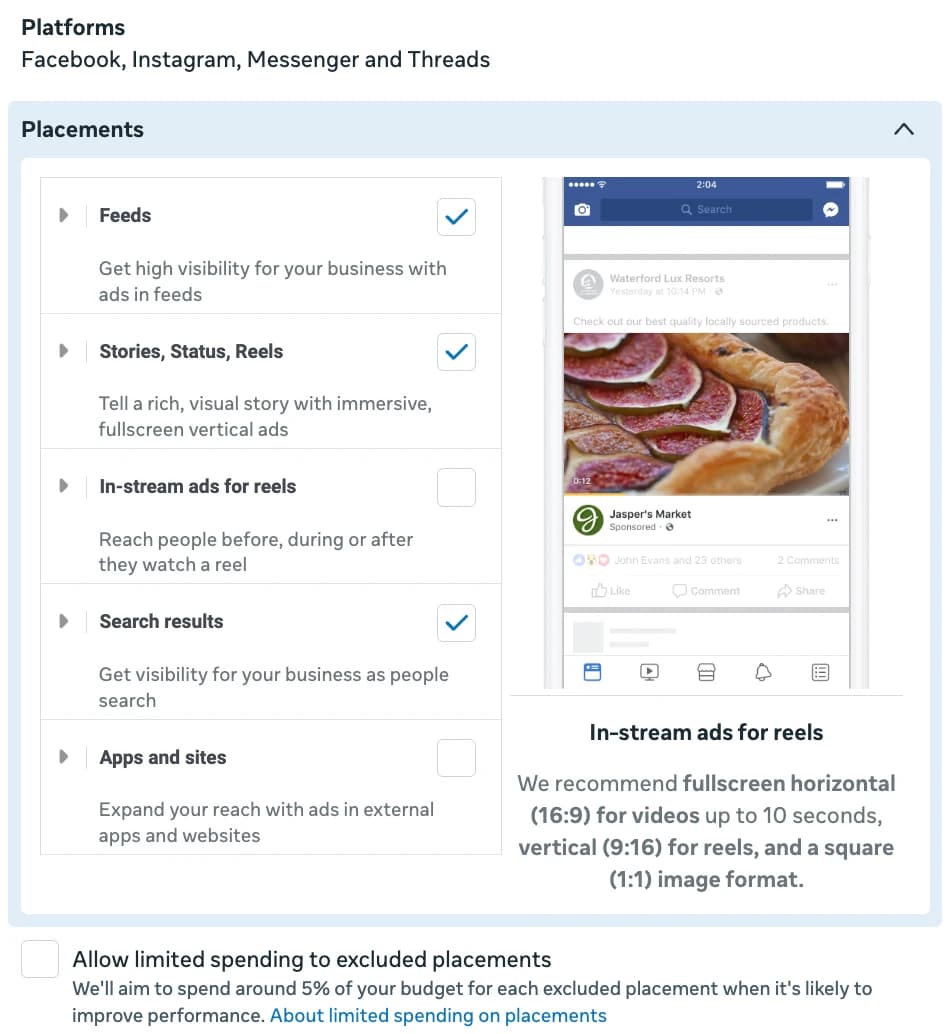
| Stories & Reels (Meta) | 9×16 | 1080 × 1920 px | Full screen. Keep text and logo out of the top and bottom UI zones. |
| Instagram feed | 4×5 | 1080 × 1350 px | Behaves like Meta feed. |
| TikTok in-feed | 9×16 | 1080 × 1920 px | Effectively a vertical-only environment. Keep key content in the centre safe zone. |
| YouTube Shorts / in-feed | 9×16 | 1080 × 1920 px | Vertical, same as other full-screen surfaces. |
| YouTube in-stream | 16×9 | 1920 × 1080 px | The one place landscape is still the native shape. |
| Google Performance Max / display | 1.91×1, 1×1, 4×5 | 1200 × 628, 1200 × 1200, 960 × 1200 px | Provide the full set. Asset coverage drives delivery strength. |
The pattern is simple once you see it. Anything in a scrolling feed wants 4×5. Anything full-screen wants 9×16. Landscape 16×9 survives in exactly one common spot, YouTube in-stream. Google asset formats are the deliberate exception where you supply everything. Meta's own specifications back the feed-and-vertical split; see the Meta Ads Guide for the canonical placement specs, TikTok's video specifications for the vertical-only environment, and Google's responsive display image requirements for the full-set logic on the Google side.
4×5 vs 9×16 vs 1×1, and which to actually export
If you only export two ratios per concept, make them 4×5 and 9×16. If budget for a third exists and you run Google or YouTube in-stream, add 1×1 and 16×9.
| Ratio | Where it wins | Export priority |
|---|---|---|
| 4×5 | Facebook, Instagram and other scrolling feeds. Most paid-social impressions. | Always. First export. |
| 9×16 | Stories, Reels, TikTok, Shorts. Every full-screen surface. | Always. Second export. |
| 1×1 | Some placements and networks that still reward a square; safe fallback. | Optional. Only if a target placement specifically needs it. |
| 1.91×1 | Google display and Performance Max landscape, link previews. | Only if running Google asset formats. |
| 16×9 | YouTube in-stream. | Only if running in-stream video. |
The decision is not really "which ratio is best", it is "which ratios am I committing to produce for every concept, forever". Two is the honest minimum for a serious Meta program in 2026. The teams that quietly fall behind are usually the ones still shipping one square because exporting and routing the second shape felt like overhead.
The aspect ratios you actually need to export per concept
For a 2026 Meta program, the export set per creative concept is 4×5 and 9×16. Add 1×1, 1.91×1 and 16×9 only when Google or YouTube in-stream is genuinely in the plan. If you are ever unsure what ratio a finished export actually is, our free aspect ratio checker confirms it in one drop and flags which placements it fits.
This is where the abstract ratio advice meets a real production line. Every winning concept now needs at least two renders, not one. If you test five concepts a week, that is ten files, not five, before a single name or placement decision. Scale that across multiple ad accounts or clients and the file count is the thing that breaks, not the creative judgement. The ratio question was answered in one table above. The number of files that answer creates is the actual workload, and it compounds every week you keep testing, which is the entire point of how many creatives per ad set you should be running.
The hidden cost: routing every ratio to the right placement at launch
The expensive part of aspect ratios in 2026 is not choosing them, it is getting every exported shape onto the right ad and into the right placement, every launch, without renaming files by hand.
Picture the real sequence. A concept comes back from the editor as three files. They get named, hopefully consistently, hopefully by someone following the convention. At launch, the 9×16 cut has to end up serving Stories and Reels while the 4×5 serves the feed, and all of it should live on one ad rather than three so the data is not split. Do that for five concepts across several ad sets and you are not making creative decisions any more, you are doing file clerical work, and clerical work at volume is exactly where a creative program silently degrades: a wrong-ratio file on the wrong placement, a vertical that never got uploaded, a concept that shipped square-only because the second export did not make it.
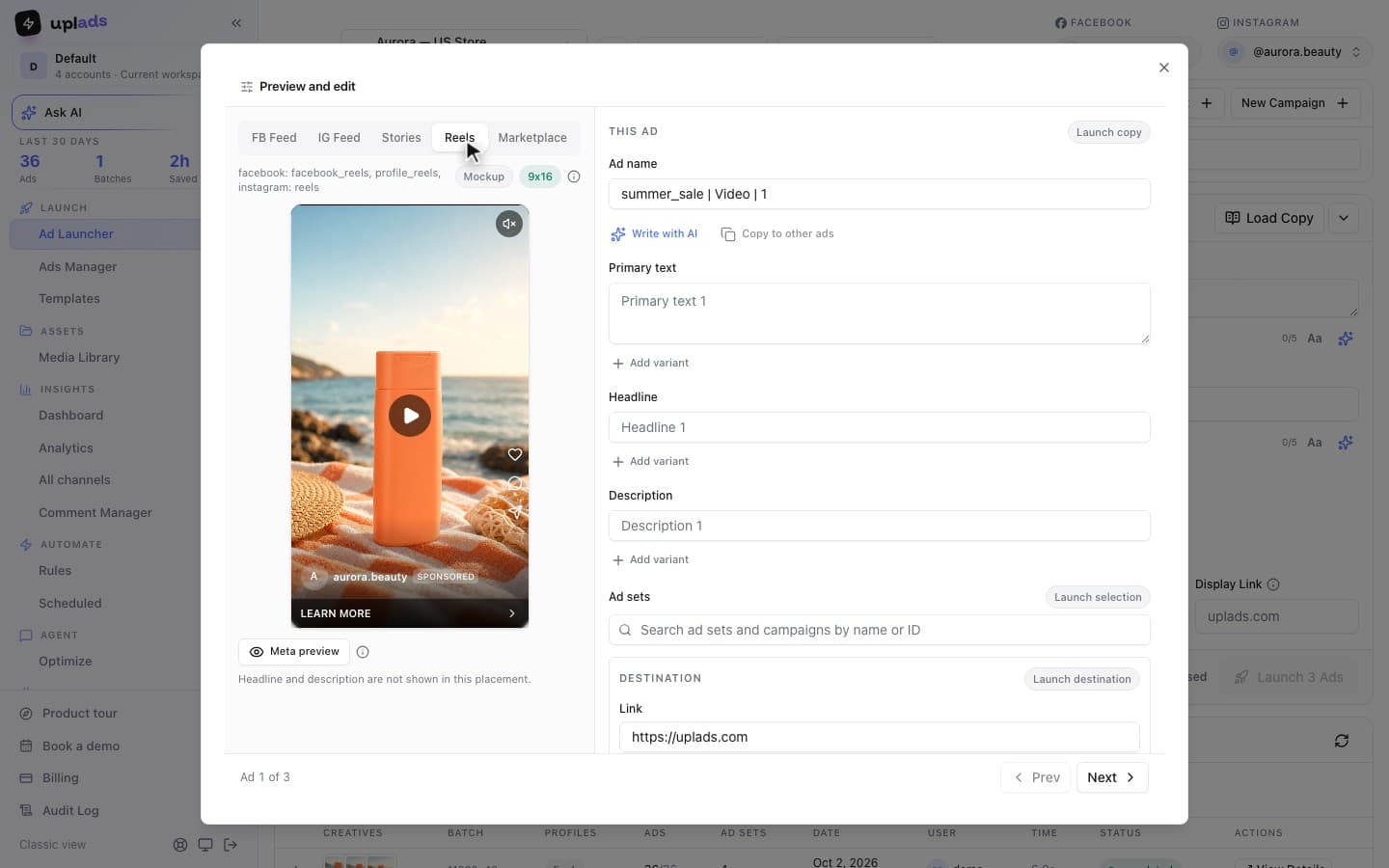
This is the one part of the ratio problem that uplads touches, and it is worth being precise about scope. uplads does not design or resize your creatives, and it generates nothing with AI. You still export each ratio yourself; the one shortcut is a fixed-ratio Crop for placements tool that cuts up to four crops from a file you already have, which helps in a pinch but does not replace a vertical that was composed as one. What it removes is the routing tax. When the aspect ratio is in the file name, a 4x5 or 9x16 tag, uplads reads it, bundles every ratio of the same concept into a single multi-placement ad rather than separate ads, and sends the vertical to the Stories and Reels surfaces while the feed-shaped files go to Meta's standard placement delivery. The naming convention that makes this work is applied automatically at launch from your account settings, so the grouping does not depend on whoever launched today remembering the format. The same upload also launches to TikTok, Google Ads and Snapchat; the multi-placement bundling itself is Meta only, because it maps to Meta's placement asset customization. The deeper mechanics of that bundling are in the Meta multi-placement guide.
Launch 100+ ads in a single click
Choosing 4×5 and 9×16 is a one-time decision. Getting both onto the right ad and the right placement on every launch is the weekly tax. Bundle every ratio of a concept into one multi-placement ad with uplads, straight from the aspect ratio in the file name. See plans and what a batch launch costs.
A 2026 routine that keeps aspect ratios from becoming a bottleneck
The teams whose creative pipelines do not clog do not have a cleverer ratio than yours. They have a fixed rule: every concept is exported in the same agreed ratios, named the same way, and routed automatically, so no human decides placement at 6pm on launch day.
Concretely, for 2026: commit to 4×5 and 9×16 as the non-negotiable export pair, add Google's full set only on accounts that run Google, put the aspect ratio in the file name so routing is mechanical rather than remembered, and make "the right shape reaches the right placement" a property of how you launch rather than a checklist a tired person ticks. Watch creative fatigue as a separate recurring tax, since more ratios means more files and faster wear, which is its own discipline covered in Facebook ad fatigue signals. Aspect ratios did not get harder in 2026. The default just moved from square to vertical, the file count per concept doubled, and the cost of one mis-routed launch got more expensive to find. The ratio is the easy half. Shipping every shape to the right place, every week, is the half that actually decides whether the creative program scales.